Collars for Little Dogs: 3 Simple Width Rules That Reduce Wrong Orders in Marketplace Listings

Collars for Little Dogs: 3 Simple Width Rules That Reduce Wrong Orders in Marketplace Listings

You might see many wrong orders for collars for little dogs. This happens when width details are not clear or missing. If you use standard words and clear width rules in your listings, buyers can pick the right collar the first time.

  • Clear sizing and neck range details help stop returns and exchanges.

  • Giving the same width and hardware info builds trust and lowers wrong-size orders.

  • Easy fit checks, like the two-finger rule, help buyers check comfort.

Watch collar width, adjustable neck range (in inches and millimeters), and hardware fit. These steps make marketplace listings safer and more correct for everyone.

Key Takeaways

  • Always show collar width in inches and millimeters. This helps buyers pick the right size. It also lowers wrong orders.

  • List the adjustable neck range with collar width. This helps buyers know if the collar fits their dog.

  • Make sure hardware size matches collar width. A good fit stops breakage. It keeps dogs safe when they wear it.

  • Use simple, safe words to talk about fit. Say things like ‘snug but comfortable’ to help buyers choose well.

  • Check and update listings often for accuracy. This builds trust and lowers returns in your marketplace.

Collar Width Basics for Little Dogs

What Is Collar Width?

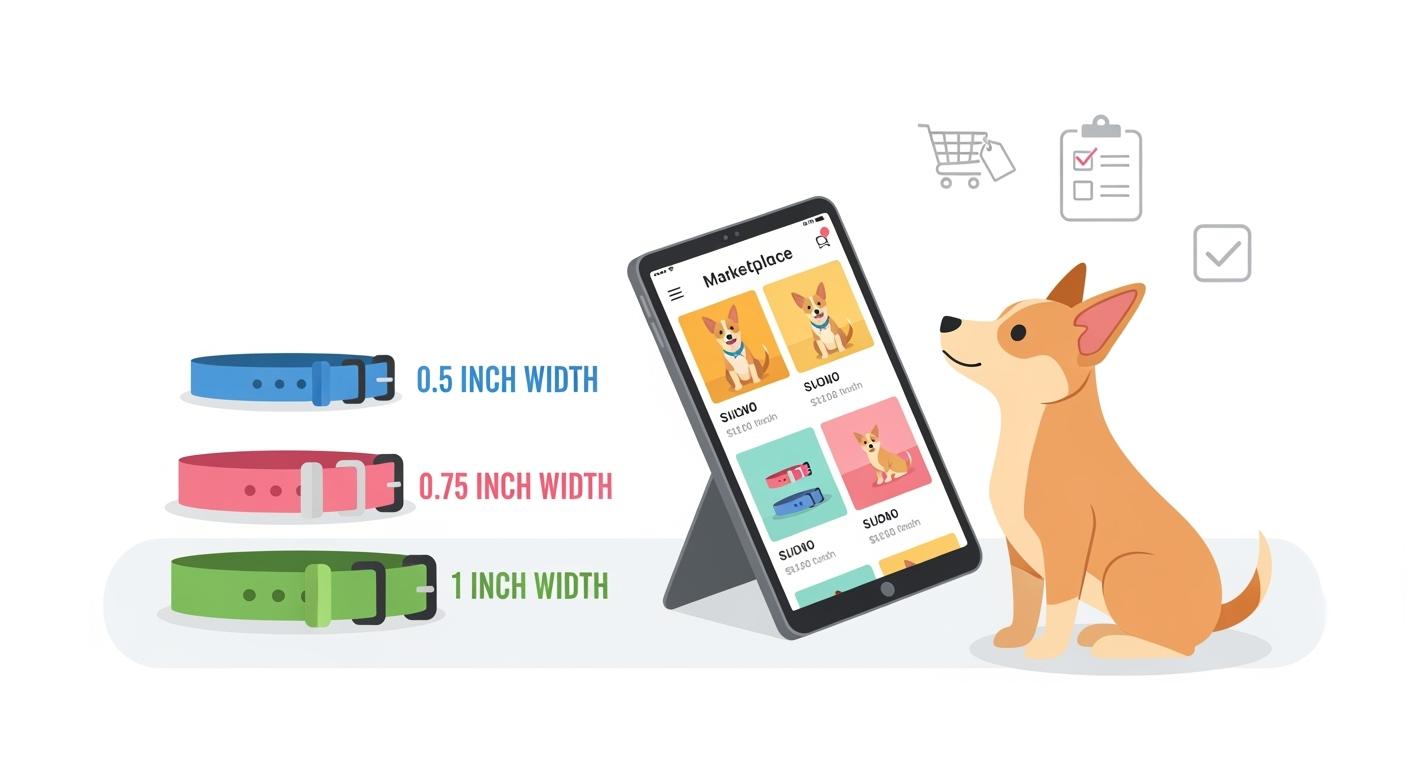
You need to know the basics before listing or buying collars for little dogs. Collar width means the strap or webbing width that passes through the buckle and hardware. For small dogs, you often see micro-width or narrow-width collars. These usually measure 3/8 in (about 10 mm), 1/2 in (about 13 mm), 5/8 in (about 16 mm), or 3/4 in (about 19 mm). Adjustable neck range shows the smallest and largest neck size the collar fits. Always publish this as a range in both inches and millimeters. Hardware size means the buckle and D-ring must match the collar width. If the hardware does not fit the strap, the collar may fail or cause discomfort.

Tip: Always check that the hardware matches the collar width. This helps prevent breakage and keeps the collar safe for daily use.

Common Buyer Mistakes

Many buyers make mistakes when choosing collars for little dogs. You can avoid these errors by knowing what to look for. Here is a table showing the most frequent mistakes:

Mistake

Description

Guessing based on weight

Two dogs can weigh the same and fit completely differently.

Choosing the wrong size

Too loose leads to escape; too tight causes discomfort.

If you pick the wrong collar width, your dog may face health and safety problems:

  • Restricted breathing and circulation: A collar that is too tight can press on the neck and make it hard for your dog to breathe.

  • Skin irritation and hot spots: An ill-fitting collar can rub and cause sores or injuries.

  • Limited mobility: The wrong width can stop your dog from walking or running comfortably.

You should always measure your dog’s neck and check the adjustable range. Make sure the hardware fits the collar width. This reduces returns and keeps dogs safe.

Quick Checklist for Choosing and Listing Micro-Width Collars

Measure Collar Width First

You want to start with the right collar width. This step helps you avoid wrong orders and returns. Micro-width collars for little dogs come in standard sizes. You should always list and check these widths in both inches and millimeters.

Collar Width (in)

Collar Width (mm)

3/8

10

1/2

13

5/8

16

3/4

19

Follow these steps to measure and select the correct collar width:

  1. Wrap a measuring tape around your dog’s neck.

  2. Make sure the tape is snug but comfortable. Leave space for two fingers between the tape and the neck.

  3. If you do not have a measuring tape, use a short rope and measure the length with a ruler.

  4. If your dog is still growing, choose a collar that fits on the first adjustment hole.

Tip: Always match the collar width to the dog’s neck size and body type. Micro-width collars for little dogs work best for breeds with slim necks and low pulling strength.

Adjustable Neck Range

You need to publish the adjustable neck range for every collar. This range shows the smallest and largest neck size the collar can fit. Use both inches and millimeters for clarity. Pair the neck range with the collar width in your listing title or subtitle.

For example:

  • “5/8 in (16 mm) width, fits necks 8–12 in (20–30 cm)”

This format helps buyers see if the collar will fit their dog. You should measure the neck range with the collar laid flat and fully adjusted. Always check that the range matches the product description.

Note: A collar should fit snug but comfortable. You can use the finger-check rule: you should fit two fingers between the collar and the dog’s neck.

Hardware Fit

You must check that the hardware matches the collar width. The buckle slot and D-ring should fit the strap without gaps or tight spots. Hardware that does not match the collar width can break or cause discomfort.

When listing collars for little dogs, always show the hardware size and type. Pair the hardware details with the collar width and neck range. This step helps buyers and catalog teams avoid mismatches.

Collar Width

Hardware Slot Size

Recommended Use Case

3/8 in (10 mm)

3/8 in (10 mm)

Toy breeds, puppies

1/2 in (13 mm)

1/2 in (13 mm)

Small breeds, light pullers

5/8 in (16 mm)

5/8 in (16 mm)

Small breeds, daily walks

3/4 in (19 mm)

3/4 in (19 mm)

Larger small breeds

Safety Reminder: Never claim that a collar is escape-proof or guaranteed. Collars for little dogs are best for ID tags and gentle walks. For strong pullers or escape-risk dogs, recommend a harness instead.

By following this checklist, you help buyers choose the right collars for little dogs and reduce wrong orders in marketplace listings.

Micro-Width Options for Collars for Little Dogs

Micro-Width Options for Collars for Little Dogs

Supplier Standard Widths

You need to select the right collar width for small breeds. Most suppliers offer micro-width collars in four standard sizes. These sizes help you match hardware and ensure a safe fit for little dogs. Always use dual units when listing widths.

Standard Width (in)

Standard Width (mm)

Typical Use Case

3/8

10

Toy breeds, puppies

1/2

13

Small breeds, light pull

5/8

16

Small breeds, daily walks

3/4

19

Larger small breeds

Hardware sizing must match collar width. If you use hardware that is too large or too small, the collar may not work safely. The buckle slot and D-ring should fit the strap with no gaps or tight spots. You should always check hardware fit before listing or buying collars for little dogs.

Tip: Pair each collar width with matching hardware in your catalog. This step reduces returns and keeps your listings accurate.

When to Recommend a Harness

Some dogs need more than a collar. If you see a strong puller or a dog that slips out of collars, you should recommend a harness. Harnesses spread pressure across the chest and shoulders. This design lowers the risk of injury and escape.

You can use this checklist to decide when to suggest a harness:

  • The dog pulls hard during walks.

  • The dog has a slim neck and can slip out of collars.

  • The dog has health issues that make neck pressure unsafe.

  • The owner wants extra control for training or safety.

Safety Reminder: Collars for little dogs work best for ID tags and gentle walks. For strong pullers or escape-risk dogs, harnesses offer a safer option.

You help buyers and catalog teams make better choices when you match collar width and hardware, and recommend harnesses when needed.

Consistent Measurement and Publishing Rules

Measuring Neck Range

You need to measure and publish the adjustable neck range for every collar. This step helps buyers and catalog teams avoid confusion and returns. Start by laying the collar flat. Adjust the buckle to the smallest setting and measure from the end of the buckle to the farthest hole. Record this as the minimum neck size. Next, adjust the collar to the largest setting and measure again. This gives you the maximum neck size.

Use both inches and millimeters for every listing. For example:

Collar Width

Neck Range (in)

Neck Range (mm)

1/2 in

8–12 in

20–30 cm

5/8 in

10–14 in

25–35 cm

Tip: Always pair collar width with neck range in your product title or subtitle. This makes it easy for buyers to match the collar to their dog’s measurements.

Fit Language to Reduce Returns

You can lower return rates by using clear, claim-safe fit language. Avoid promises like “escape-proof” or “guaranteed fit.” Instead, guide buyers with simple instructions.

  • Use phrases like “snug but comfortable.”

  • Suggest the two-finger rule: buyers should fit two fingers between the collar and the dog’s neck.

  • Remind buyers that collars for little dogs work best for ID tags and gentle walks.

Here is a sample fit note you can use in your listings:

“For best results, measure your dog’s neck and choose a collar that fits within the published range. The collar should sit snug but comfortable. You should be able to fit two fingers between the collar and your dog’s neck.”

By following these measurement and publishing rules, you help buyers make safe choices and reduce wrong orders in marketplace listings.

Marketplace Catalog Logic and Variant Rules

Before you make catalog listings, learn two important words. OEM means a company makes products for other brands. ODM means a company designs and makes products for other brands to sell. These words help you know what suppliers do when you build marketplace catalogs.

Parent Grouping

You should put products together by style and how they are made. This is called parent grouping. Collars with the same look, material, and hardware go in one group. Only size, width, or color changes for each variant. This rule helps buyers find choices fast and keeps your catalog neat.

Tip: Always make sure each parent group has clear pictures. Show collar width and hardware fit in the photos. This helps buyers know what they are getting and pick the right collar for little dogs.

Variant Axes: Size, Width, Color

You need to set up three main choices for each listing. Use size (adjustable neck range), width (strap width), and color. Put each detail in its own spot. Do not mix inches and millimeters in one place. Always write what unit you use.

Attribute

Example Value (US)

Example Value (Metric)

Size

8–12 in

20–30 cm

Width

1/2 in

13 mm

Color

Blue

Blue

Follow these steps for using units:

  • List inches and millimeters in different spots.

  • Label each unit so buyers and catalog teams see both.

  • Do not mix units in one spot or title.

Safety Reminder: Always put width and neck range together in your listing name or subtitle. This helps buyers match collars for little dogs to their pets and stops wrong orders.

You make your catalog better and help buyers when you use clear parent grouping and set up choices the right way. You also lower returns and mistakes by keeping units separate and easy to read.

SKU Naming and Attribute Standards

Standard Naming Order

You need a clear and consistent naming system for collars for little dogs. This helps buyers and catalog teams find the right product fast. The best practice is to use this order for every SKU and listing:

  1. Width (inches and millimeters)

  2. Neck Range (minimum–maximum, in inches and centimeters)

  3. Closure Type (for example, buckle, snap, or quick-release)

  4. Color

Here is a sample naming string you can use:

1/2 in (13 mm) width, 8–12 in (20–30 cm) neck, buckle, red

Tip: Always keep the order the same. This makes it easy to compare products and spot errors.

Clean vs Confusing Names

You can reduce mistakes by using clean and simple names. Avoid mixing up the order or leaving out key details. Here is a table to show you the difference:

Clean Name Example

Confusing Name Example

3/8 in (10 mm) width, 7–10 in (18–25 cm) neck, snap, blue

Blue small snap collar 10mm

5/8 in (16 mm) width, 10–14 in (25–35 cm) neck, buckle, black

Black buckle collar, 14″ adjustable

3/4 in (19 mm) width, 12–16 in (30–40 cm) neck, quick-release, green

Green collar, quick, 3/4 inch

You should always:

  • List width first, then neck range, closure type, and color.

  • Use both inches and millimeters for width.

  • Use both inches and centimeters for neck range.

  • Avoid using only color or size in the name.

  • Never mix units in one field.

Note: Clean names help buyers pick the right collars for little dogs and lower the chance of wrong orders.

By following these standards, you make your catalog safer, clearer, and easier to manage.

Required and Optional Attributes for Vendors

Core Attributes

You need to add some fields when you list collars for little dogs. These core attributes help buyers pick the right collar and avoid mistakes. Always use clear words and show measurements in two units.

Required fields:

  • Width: Write the collar strap width in inches and millimeters. For example, 1/2 in (13 mm).

  • Neck Range: Show the smallest and largest neck size in inches and centimeters. For example, 8–12 in (20–30 cm).

  • Material: Say what the collar is made of, like nylon, polyester, or leather.

  • Buckle Type: Tell what kind of closure it has, such as buckle, snap, or quick-release.

  • Ring Type: Say if it has a D-ring or O-ring for tags or leashes.

  • Weight Guidance: Give a dog weight range for each collar size in pounds and kilograms.

Tip: Always put width and neck range together in your product name or subtitle. This helps buyers match the collar to their dog’s size and lowers returns.

High-Value Optional Attributes

You can add more details to make your listings better. These optional attributes help buyers and catalog teams check fit and safety before buying.

Optional fields:

  • Webbing Thickness: Write the strap thickness in inches and millimeters. This helps buyers know how strong and comfy the collar is.

  • Hardware Finish: Say what covers the hardware, like nickel-plated, matte, or plastic. This can help buyers choose.

  • Safety Tether Note: Add a note if the collar has a safety tether or special loop.

Attribute

Example Value

Webbing Thickness

1/16 in (1.5 mm)

Hardware Finish

Nickel-plated

Safety Tether Note

Includes mini tether loop

Note: Optional attributes give buyers more trust and help catalog teams answer fewer questions and lower returns. Always use simple words and do not use hard technical terms.

When you include both required and optional attributes, your listings become safer, clearer, and more helpful for everyone in the marketplace.

QA Checks Before Listing Goes Live

Packaging and Label Checks

You need to check packaging and labels before you publish any collar listing. Start by inspecting the physical product. Make sure the collar width matches what you plan to list. Look at the hardware and confirm it fits the strap with no gaps or tight spots. Check that the neck range printed on the label matches your measurements. If you see both inches and millimeters, confirm that both units are correct and easy to read.

Use this quick checklist for packaging and label QA:

  • Confirm collar width on the label matches the actual product (inches and millimeters).

  • Check neck range is printed as a minimum–maximum (inches and centimeters).

  • Inspect hardware for correct size and type.

  • Make sure color and closure type match the product.

  • Look for any missing or unclear information.

Tip: Take a photo of the collar next to a ruler. This helps catalog teams verify width and hardware fit.

Listing QA: Units and Logic

You must review your listing data before it goes live. Check that every field uses the correct units. Never mix inches and millimeters in one field. Always label units clearly. Pair collar width with neck range in the product name or subtitle. This helps buyers match collars for little dogs to their pets.

Follow these steps for listing QA:

  1. Review all measurements for unit consistency.

  2. Confirm neck range logic: minimum is less than maximum.

  3. Check for mismatches between product photos and listing details.

  4. Make sure hardware size matches collar width in both description and images.

  5. Verify that fit language uses “snug but comfortable” and the two-finger rule.

QA Step

What to Check

Example Pass Value

Unit Consistency

Inches and mm labeled separately

1/2 in (13 mm)

Range Logic

Min < Max for neck range

8–12 in (20–30 cm)

Hardware Match

Buckle slot fits collar width

1/2 in buckle for 1/2 in collar

Fit Language

Claim-safe, clear instructions

“Snug but comfortable”

Note: Careful QA checks help you reduce wrong orders and returns. You keep your catalog safe and accurate for buyers and teams.

Implementation Plan for Catalog Teams

A strong catalog helps buyers find the right collars for little dogs. You can follow this three-week plan to map, clean up, and enforce width rules in your marketplace listings.

Week 1: Mapping

Start by mapping all collar listings for little dogs. You need to collect every SKU, product name, and attribute. Make a table with these columns:

SKU

Width (in/mm)

Neck Range (in/cm)

Hardware Size (in/mm)

Closure Type

Color

Check each listing for missing or unclear width and neck range details. Mark listings that do not use dual units or have mismatched hardware. This step helps you see where errors happen most often.

Tip: Use a spreadsheet to track which listings need updates. This makes your work faster and more organized.

Week 2: Cleanup

You need to fix all problems you found in week one. Update every listing to show collar width and neck range in both inches and millimeters. Make sure hardware size matches the collar width. Change product names to follow the standard order: width, neck range, closure type, color.

  • Remove any confusing or duplicate names.

  • Add claim-safe fit language like “snug but comfortable” and the two-finger rule.

  • Check that photos show the actual collar width and hardware fit.

Note: Clean listings help buyers trust your catalog and lower return rates.

Week 3: Vendor Enforcement

You must set clear rules for vendors. Give them a checklist for required and optional attributes. Ask vendors to use dual units for all measurements. Review new listings before they go live. Reject any listing that does not follow width, neck range, and hardware standards.

  • Send feedback to vendors with examples of correct listings.

  • Hold short training sessions if needed.

  • Track compliance and follow up with vendors who miss details.

Safety Reminder: Accurate listings protect buyers and keep your marketplace safe.

By following this plan, you build a catalog that helps buyers choose the right collars for little dogs and reduces wrong orders.

You can stop wrong orders for collars for little dogs by using three easy width rules. First, measure and show collar width in both inches and millimeters. Next, always put the collar width with the adjustable neck range. Then, make sure the hardware size fits the strap. Add these facts to your listings. Remind buyers to check the fit before they buy. Using the same rules makes the marketplace more correct and helps people trust you. Catalog teams should check and use these rules for every listing.

Accurate details keep pets safe and help your marketplace work well.

FAQ

How do you measure collar width for little dogs?

You measure collar width by laying the collar flat and using a ruler. Check the strap where it passes through the buckle. List the width in both inches and millimeters for clarity.

Why should you publish both inches and millimeters in listings?

Publishing dual units helps buyers and catalog teams avoid confusion. Some users prefer inches, while others use millimeters. You make your listings accessible and reduce wrong orders.

What is the best way to describe fit for small-dog collars?

Use claim-safe language like “snug but comfortable.” Suggest the two-finger rule. You should never promise escape-proof or guaranteed fit. Always recommend harnesses for strong pullers.

Which attributes must you include for every collar listing?

You must include width (in/mm), neck range (in/cm), material, buckle type, ring type, and weight guidance. Optional attributes like webbing thickness and hardware finish add extra value.

How do you check hardware fit before listing goes live?

Inspect the buckle slot and D-ring. Make sure they match the collar width with no gaps or tight spots. Take a photo with a ruler for catalog QA. This step helps prevent mismatches.

Get A Free Quote Now !

Table of Contents

Blog

Dog Harness Big Sell-In Storyboard Strength Comfort Control for Buyer Presentations

Dog harness big storyboard shows strength, comfort, and control with clear sizing, fit tips, and proof to help buyers reduce risk and returns.....

Dog Life Jackets Size and Fit Communication Standard (Girth/Weight) for B2B Pages

Dog life jackets sizing for B2B: use girth as the main fit guide, confirm with weight, and follow clear standards for accurate product....

Reflective Dog Collars Seasonal Positioning Calendar (Fall/Winter Visibility) for Retail Programs

Reflective dog collars seasonal calendar guides retail programs for fall and winter, boosting pet visibility and safety during low-light walks and holiday travel.....

Bike Dog Carrier Competitive Differentiation Matrix (Mounting, Comfort, Stability) for Sell-In Meetings

Compare bike dog carrier options by mounting, comfort, and stability with proof-based scores to help your family choose the safest and most comfortable....

Car Seat for Dogs Variant and Pack Configuration Guide for Wholesale Catalogs (Size Bands, Colorways, Case Pack)

Car seat for dogs catalog guide: size bands, colorways, and case pack details for accurate wholesale ordering and safer pet travel.....

Dog Treat Pouch Attach-Rate Growth Plan (Treats, Clickers, Leashes) for Distributors

Boost dog treat pouch attach rates by bundling with treats, clickers, and leashes. Improve distributor sales and retention with targeted growth strategies.....
Scroll to Top

If You Have Any Questions, Please Do Not Hesitate To Contatct With Us.

Get A Free Quote Now !

Welsh corgi wearing a dog harness on a walk outdoors